 Volumora
Roundup · checked September 2026
The best disk space analyzers for Mac in 2026, compared honestly
We make Volumora, so treat this page as a comparison written by an interested party. To keep it useful anyway, we followed three rules: every fact about another app comes from its official pages, checked in September 2026 and linked at the bottom; we say plainly where another tool is the better choice; and we leave things out rather than guess.
A disk space analyzer answers one question: which folders and files are actually using the space? The tools below answer it in different ways, from a plain sorted list to treemaps, rings and bubbles, and they differ even more in price, supported macOS versions and what they do after the scan.
- analyzers compared
- 6
- of them free
- 3
- open source (GPL)
- 2
How we compared them
We looked at how each app shows your disk, what it costs and how it is sold, which macOS versions it supports according to its developer, and what it helps you do after the scan. Speed claims are only included where we measured them ourselves, which means only for Volumora; we have not benchmarked other apps.
Where a feature did not appear on an app's official pages, the tables say Not listed. That is not proof the feature is missing, just that we could not verify it.
| App | How it shows your disk | Price model | Requirements | Best for |
|---|---|---|---|---|
| Volumora | Treemap, ranked Folders, 3D | Free scan; one-time license | macOS 14+ | Seeing the disk and acting on it, privately |
| DaisyDisk | Interactive circular map | $9.99 one-time, up to 5 Macs | macOS 10.13+ | A polished map, including cloud drives |
| GrandPerspective | Treemap | Free (GPL); $2.99 App Store | macOS 14+ | Free, open-source treemaps with filters |
| OmniDiskSweeper | Sorted list, largest first | Free download | Builds back to Mac OS X 10.4 | A quick, no-frills size list |
| Disk Inventory X | Treemap (KDirStat-style) | Free (GPL) | macOS 10.13–10.15 listed | Older Macs on High Sierra to Catalina |
| CleanMyMac (Space Lens) | Bubbles | Subscription or one-time option | macOS 11+ | An all-in-one cleaning suite |
“Not listed” means we did not find the feature on the product's official pages. Checked September 2026.
- 01
Volumora
Best for understanding and acting in one private app
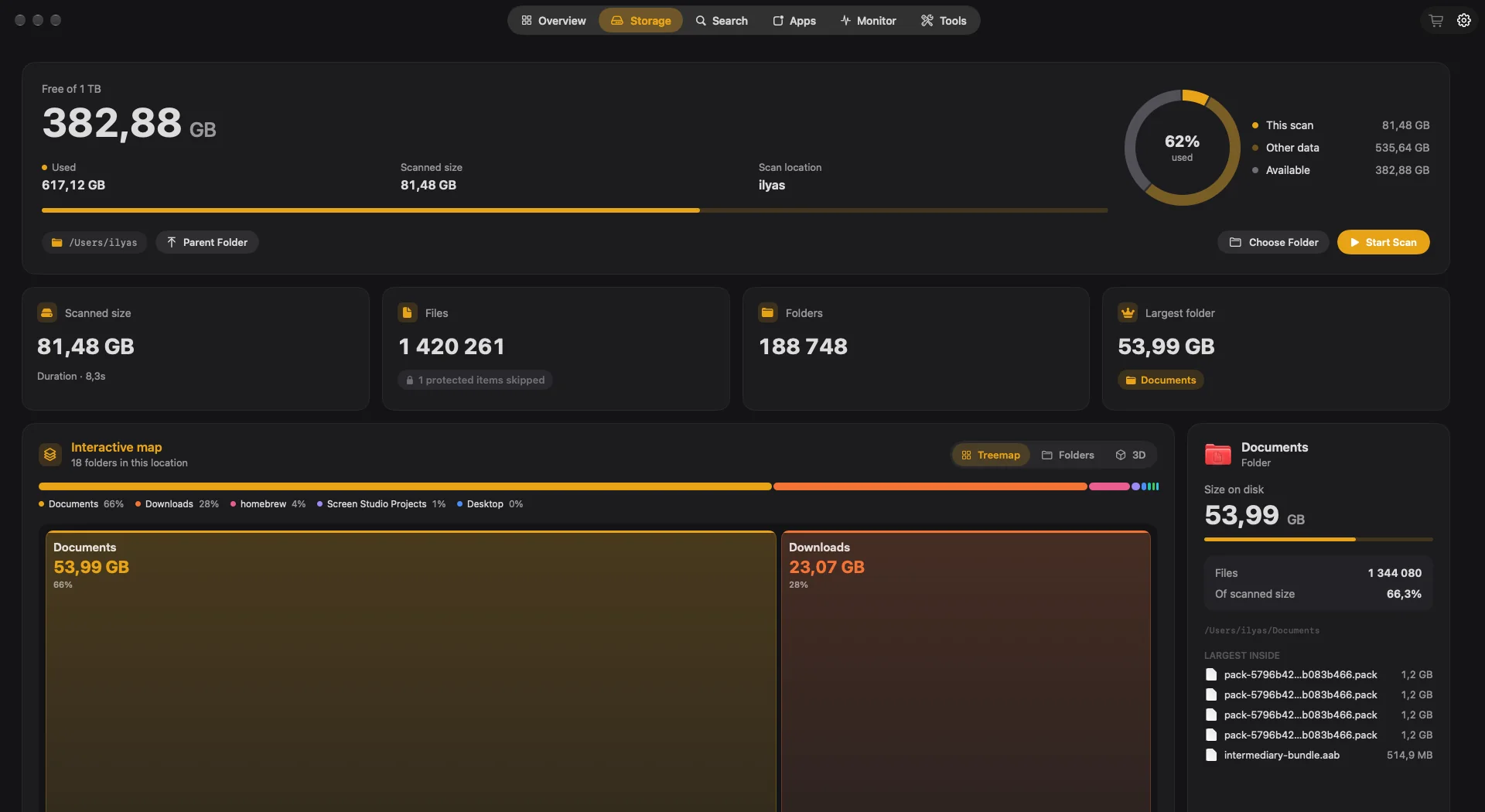
A parallel scanner (1.34 million files in 7.8 seconds in our benchmark), three views of each scan, and review-first tools for duplicates, leftovers, caches and developer files. Add a live monitor, a menu bar panel and a Projects view for dev servers, all running on your Mac with no analytics. The trade-offs: it needs macOS 14 or later, it is not open source, and it is available in English and Arabic only.
- 02Volumora vs DaisyDisk
DaisyDisk
Best for a beautiful map on older macOS versions and cloud drives
A fast, interactive circular map that supports macOS 10.13 and later, with a full version that also scans cloud storage (Dropbox, Google Drive, OneDrive, Box) and network drives. $9.99 once for up to five Macs. Its free trial can scan but cannot delete files.
- 03Volumora vs GrandPerspective
GrandPerspective
Best free and open-source treemap
GPL-licensed, actively maintained (3.8.1 in September 2026) and free, with a $2.99 App Store edition. Deep filtering and saved scans reward power users. It focuses on the map rather than cleanup tools.
- 04Volumora vs OmniDiskSweeper
OmniDiskSweeper
Best for a quick sorted list
The Omni Group's free utility lists your files largest to smallest and lets you Trash or open them. No visual map, but nothing to learn either. The current build is 1.16 from September 2025.
- 05Volumora vs Disk Inventory X
Disk Inventory X
Best for Macs still on macOS 10.13 to 10.15
A free, GPL-licensed treemap whose layout is based on KDirStat. Its official site lists version 1.3 for macOS 10.13 to 10.15, so check compatibility before using it on newer systems.
- 06Volumora vs CleanMyMac
CleanMyMac
Best if you want an analyzer inside a bigger suite
Space Lens draws folders as bubbles and sits inside a suite that also offers malware protection, an app updater, duplicate removal and cloud cleanup. Sold mainly by subscription, with a one-time option.
When to choose Volumora, and when not to
Choose Volumora if…
you are on macOS 14 or later, you want to act on what the scan finds without handing file data to anyone, you like paying once, you write code and keep losing track of dev servers, or you want a full Arabic interface.
Choose something else if…
your Mac runs an older macOS (look at DaisyDisk, OmniDiskSweeper or Disk Inventory X), you need open-source code (GrandPerspective, Disk Inventory X), you want cloud-drive scanning (DaisyDisk), or you want malware protection in the same app (CleanMyMac).
See your own Mac before you decide.
The scan and the storage map are free. Buy the one-time license only when you want Volumora to carry out the cleanup.
- Every tool in the app
- Up to 3 personal Macs
- Future 1.x updates
- 14-day refund promise
macOS 14 or newer · Apple Silicon and Intel
Frequently asked questions
What is the best free disk space analyzer for Mac?
For a free treemap on macOS 14 or later, GrandPerspective is excellent and open source. For a simple sorted list, OmniDiskSweeper is free. Volumora's scan and storage map are also free, with cleanup tools in a one-time license.
Why doesn't my analyzer match the Storage number in System Settings?
macOS counts categories such as System Data, snapshots and purgeable space in its own way, and analyzers handle clones and hard links differently. Compare folders within one tool rather than totals across tools. Our guide to reducing System Data explains more.
Will an analyzer delete files on its own?
Volumora never does: it waits for your review and moves approved items to the Trash. For other apps, check each developer's documentation on how deletions are confirmed and whether they go to the Trash.
Which analyzers support Apple silicon?
Volumora, DaisyDisk and GrandPerspective state Apple silicon support on their sites. For the others, check the developer's current download notes.
Sources, checked September 2026
- DaisyDisk official site (price, license, requirements, features, version 4.34.2)
- DaisyDisk user guide: full version vs free trial
- DaisyDisk on the Mac App Store (languages, privacy label)
- GrandPerspective official site (license, App Store price, version 3.8.1, requirements, features, translations)
- The Omni Group: Omni Labs page (description, legacy builds for macOS 10.4–10.13)
- The Omni Group: latest OmniDiskSweeper download (resolves to version 1.16, published 12 September 2025)
- Wikipedia: OmniDiskSweeper (freeware status)
- Disk Inventory X official site (GPL license, version 1.3, macOS 10.13–10.15, treemaps)
- CleanMyMac product page (features, starting price, requirements, languages)
- MacPaw support: CleanMyMac purchase options
- MacPaw support: Space Lens
- MacPaw support: CleanMyMac Menu