 Volumora
Volumora vs CleanMyMac
A CleanMyMac alternative you buy once and review before it cleans
CleanMyMac from MacPaw is one of the best-known Mac utilities, and it covers a lot of ground: system junk cleanup, malware protection, performance tools, an uninstaller and app updater, duplicate and similar-photo removal, cloud cleanup, and a menu bar Menu with live monitors. MacPaw sells it mainly as a subscription, advertised from $3.33 a month, and also offers a one-time purchase and access through Setapp.
Volumora overlaps with the storage and app-removal half of that list, and adds something CleanMyMac is not built around: a Projects view for developers. It also takes a different stance on cleaning. Nothing is removed until you have reviewed it, removals go to the Trash, and all file analysis stays on your Mac. Here is how the two line up, including the jobs CleanMyMac does that Volumora does not.
- CleanMyMac's advertised starting price per month
- $3.33
- Volumora payment, for up to 3 Macs
- 1×
- analytics SDKs in Volumora
- 0
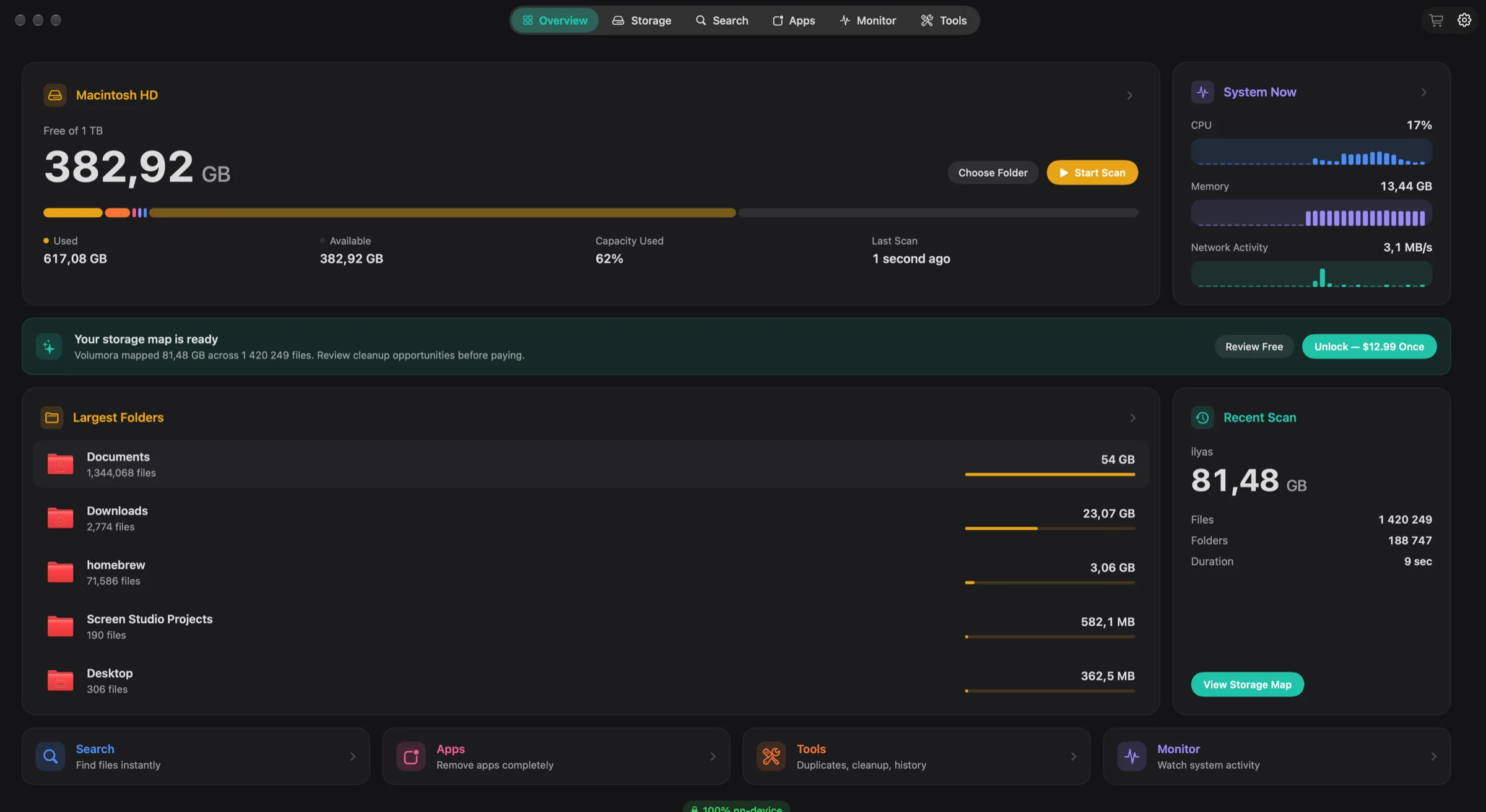
Volumora and CleanMyMac, feature by feature
| Feature | Volumora | CleanMyMac |
|---|---|---|
| Disk visualization | Treemap, ranked Folders and 3D views of the same scan | Space Lens: folders and files drawn as bubbles |
| Scanning | Parallel scanner: 1.34M files (54 GB) in 7.8 s in our benchmark | Smart Care runs several tasks in one pass; Space Lens maps a drive or folder |
| Duplicate finder | Yes, matched by SHA-256 content hash | Yes, duplicates and similar photos |
| App uninstaller & leftovers | Yes, with leftover discovery; moves to Trash only | Yes, with leftovers, plus an app updater |
| Live system monitor | CPU, memory breakdown, disk I/O, network, battery, top apps | Menu monitors for CPU, memory, storage, battery, network and connected devices |
| Dev-server Projects view | Yes: Node, Bun, Deno, Python, Ruby and more, with ports, memory and idle status | Not listed |
| Menu bar panel | Yes: health status, live tiles, per-area tabs, 4 item styles | Yes, the CleanMyMac Menu |
| Privacy / on-device | All analysis on-device; only license activation uses the network; no analytics | Includes malware protection; see MacPaw's policies for data handling |
| Pricing model | Free scan and map; one-time license for up to 3 Macs | Monthly or annual subscription, a one-time option, or via Setapp |
| Platform requirements | macOS 14+, Apple Silicon and Intel | macOS 11 or later |
| Languages | English and Arabic (full right-to-left) | 13 languages listed; Arabic not listed |
“Not listed” means we did not find the feature on the product's official pages. Checked September 2026.
Where CleanMyMac is the better fit
No single app is right for everyone. These are the cases where we think staying with the other app is the better call.
- 01
You want malware scanning
CleanMyMac includes a protection module that looks for malware hidden in other software. Volumora does not scan for malware, and we would rather say so than let you assume it does.
- 02
You want your apps kept up to date
CleanMyMac's updater checks installed apps for new versions. Volumora can remove apps and their leftovers but does not update them.
- 03
Your Mac is on macOS 11, 12 or 13
CleanMyMac runs on macOS 11 and later. Volumora requires macOS 14 or newer.
- 04
You prefer one-click routines or already pay for Setapp
Smart Care runs several maintenance tasks at once, which suits people who do not want to review each item. And if you subscribe to Setapp, CleanMyMac is part of the collection at no extra cost.
Why people switch to Volumora
Pay once, keep it
Volumora is a one-time license for up to three personal Macs, with future 1.x updates included and a 14-day refund promise. There is no subscription to renew.
Review first, Trash only
Smart Cleanup, the uninstaller and the duplicate finder all show you what they found and wait. What you approve moves to the macOS Trash, so a mistake is one drag away from being undone.
A full Monitor window as well as a menu
Beyond the menu bar panel, the Monitor tab breaks memory into app, wired, compressed and cached, shows pressure and swap, lists which apps write most to disk, and separates performance and efficiency cores.
Projects, for people who write code
Volumora finds running Node, Bun, Deno, Python and Ruby dev servers, groups them by project, and stops idle ones only after you confirm.
Privacy you can state in one sentence
Scanning, hashing, search, metrics and the local assistant run on your Mac. The only network call is license activation, which sends a random installation ID. No account, no analytics.
Leftovers found for one app
- Application Support
- Caches
- Preferences
- Containers
- Launch items
Moves to Trash only
How to try Volumora alongside it
- 1
If you have a CleanMyMac subscription, you can run both apps side by side while you decide whether to renew.
- 2
Download Volumora and grant Full Disk Access so it can measure protected folders.
- 3
Run the free scan and compare Volumora's treemap with Space Lens on the same drive.
- 4
Pick one app you no longer use and review the leftovers Volumora finds before anything moves to the Trash.
- 5
If you rely on CleanMyMac for malware protection, keep a protection tool in place. Volumora does not replace that part.
See your own Mac before you decide.
The scan and the storage map are free. Buy the one-time license only when you want Volumora to carry out the cleanup.
- Every tool in the app
- Up to 3 personal Macs
- Future 1.x updates
- 14-day refund promise
macOS 14 or newer · Apple Silicon and Intel
Frequently asked questions
Does Volumora remove malware?
No. Volumora is a storage, cleanup and monitoring utility. It has no malware scanner. If that matters to you, keep a dedicated protection tool or use CleanMyMac's protection module.
Is CleanMyMac a subscription?
Mostly. MacPaw's purchase options page lists monthly and annual subscriptions, a one-time purchase that covers the current major version, and access through Setapp. Volumora is sold only as a one-time license.
Will Volumora clean my Mac automatically?
No. Every tool shows what it found and waits for your review. Anything you approve goes to the Trash.
Can I try both first?
Yes. MacPaw offers a CleanMyMac trial, and Volumora's scan and storage map are free to use before you buy.