Smart Search
Find any file by name in seconds with the Spotlight index already on your Mac. Filter by type; queries and filenames never leave the machine.

Benchmark: Volumora's parallel scanner read 1.34 million files (54 GB) in 7.8 seconds.
Native for macOS 14+ · Apple Silicon & Intel
Volumora maps your storage, watches CPU, memory, disk and network live, and finds the dev servers you forgot to stop. It runs entirely on your Mac, and you buy it once.
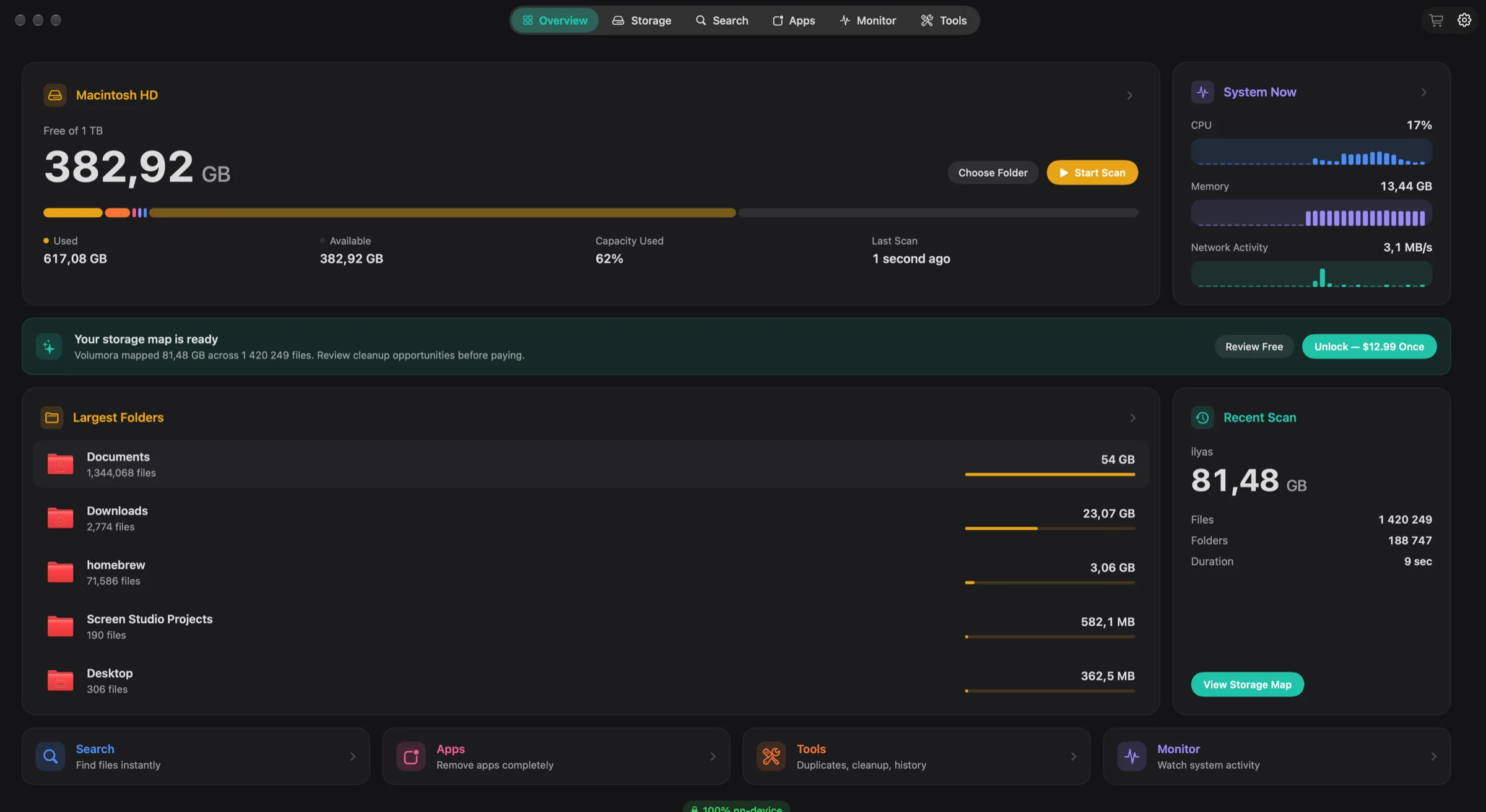
The Overview tab: free space, live system activity and your largest folders, on one dark dashboard.
Storage
The new parallel scanner reads folders on all your Mac's cores at once. Explore the result as a treemap, as ranked folder cards, or in 3D, with the largest folders and files a click away.
Benchmark: the new scanner read 1.34 million files (54 GB) in 7.8 seconds. The previous scanner needed 66 seconds for the same folder.
Same folder, both runs: 1.34 million files, 54 GB.
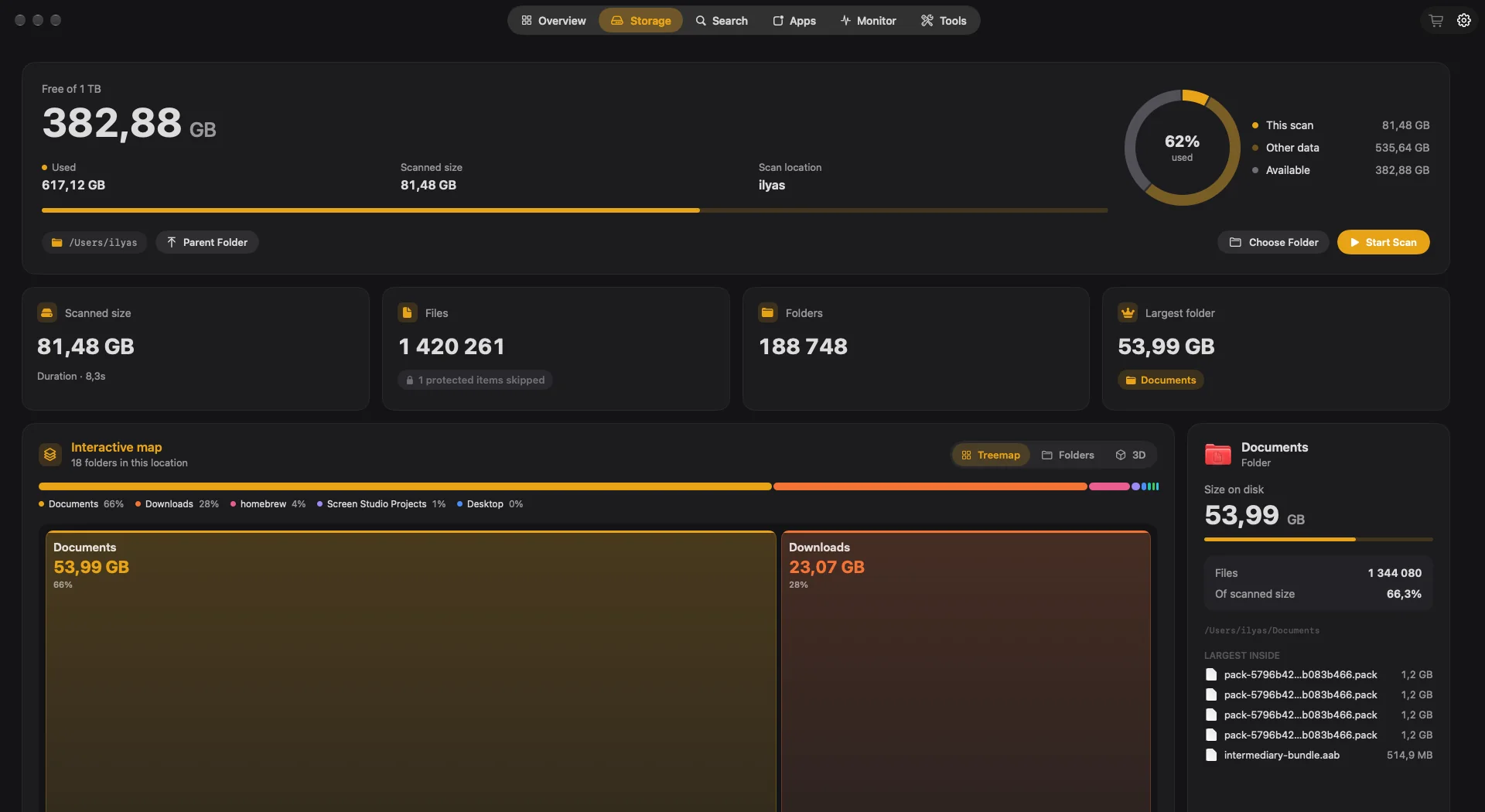
Treemap
The default view: each tile's area is its size. Hover to highlight, double-click to scan inside.
Folders
Ranked folder cards, largest first.
3D
The same scan as a landscape you can turn and read.
Inspector
Select a folder to see its size, its share of the scan and the largest files inside.
Monitor
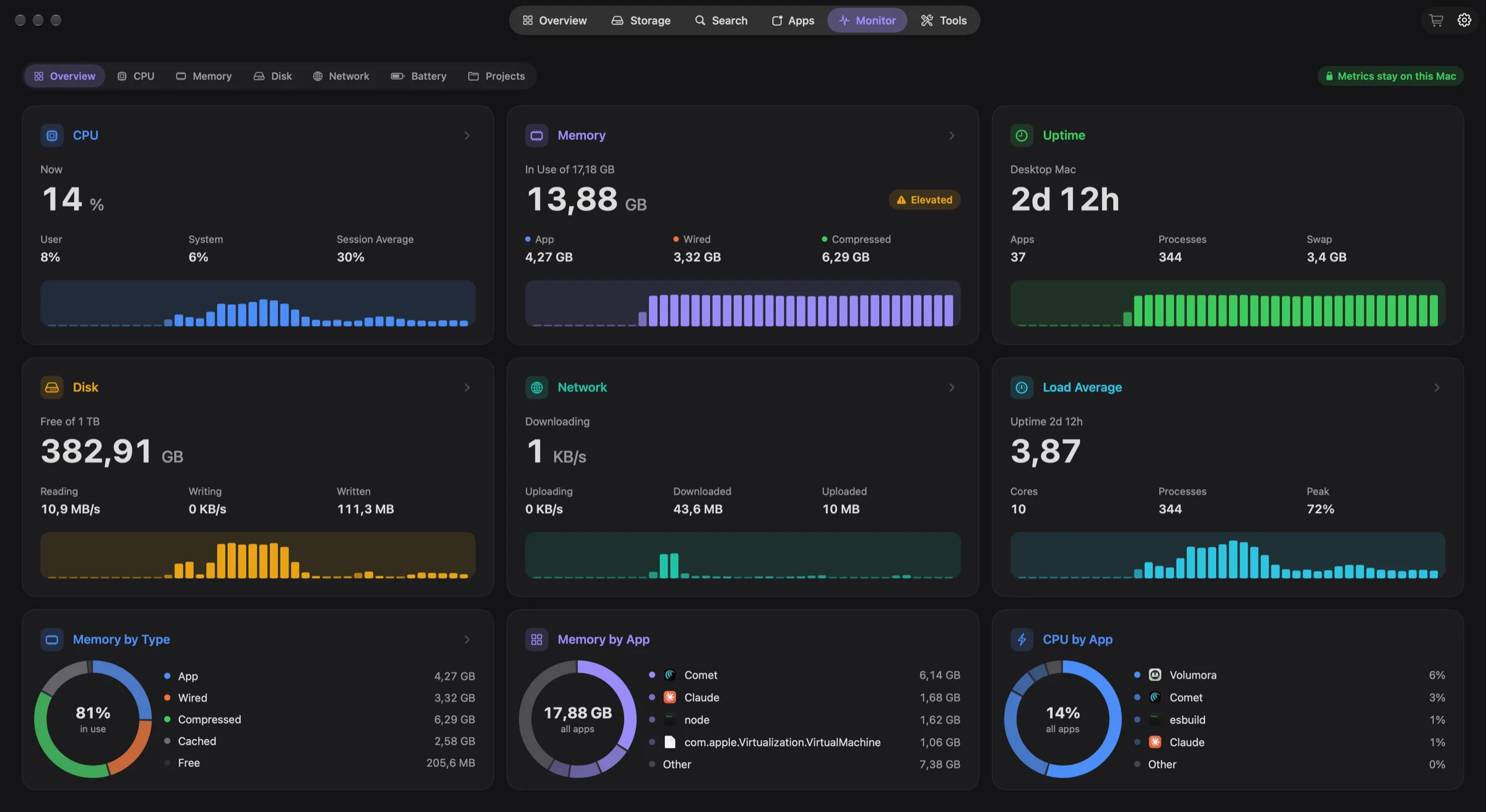
CPU, memory, disk, network and battery on one screen, with the apps behind every number. Metrics are read on your Mac and stay there.
ProjectsNew
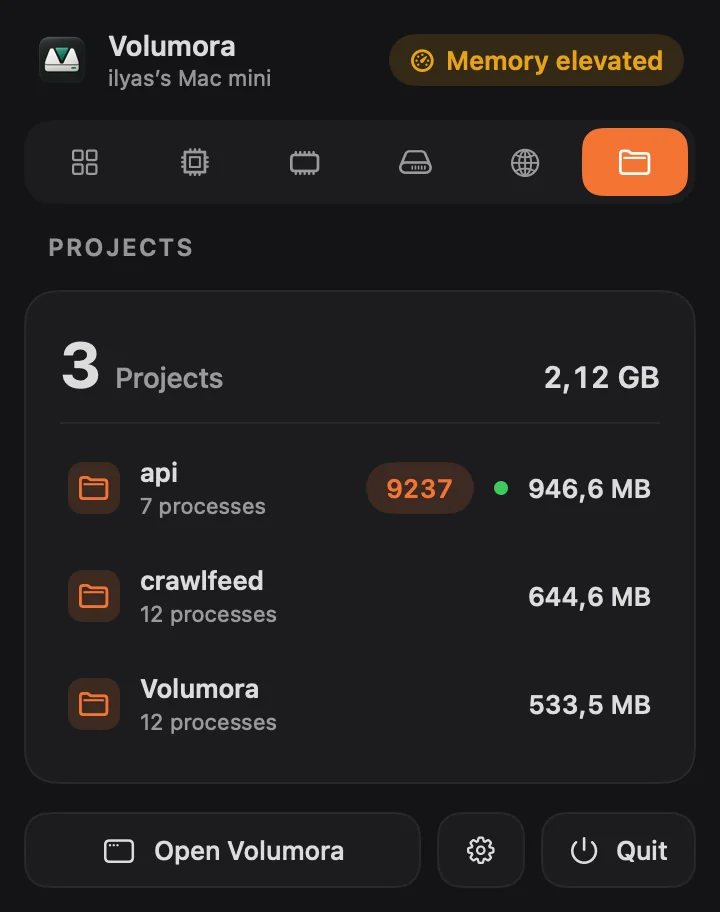
Volumora spots running development servers and groups them by project folder, so a stray “npm run dev” from last week is easy to see and easy to stop.
Grouped by project
Every process sorted under the folder it belongs to.
Ports and memory
See each listening port and how much memory a project uses.
Working or idle
Tell a server doing work from one that is only waiting.
Stop idle servers
One click stops idle servers, after you confirm.
Menu bar
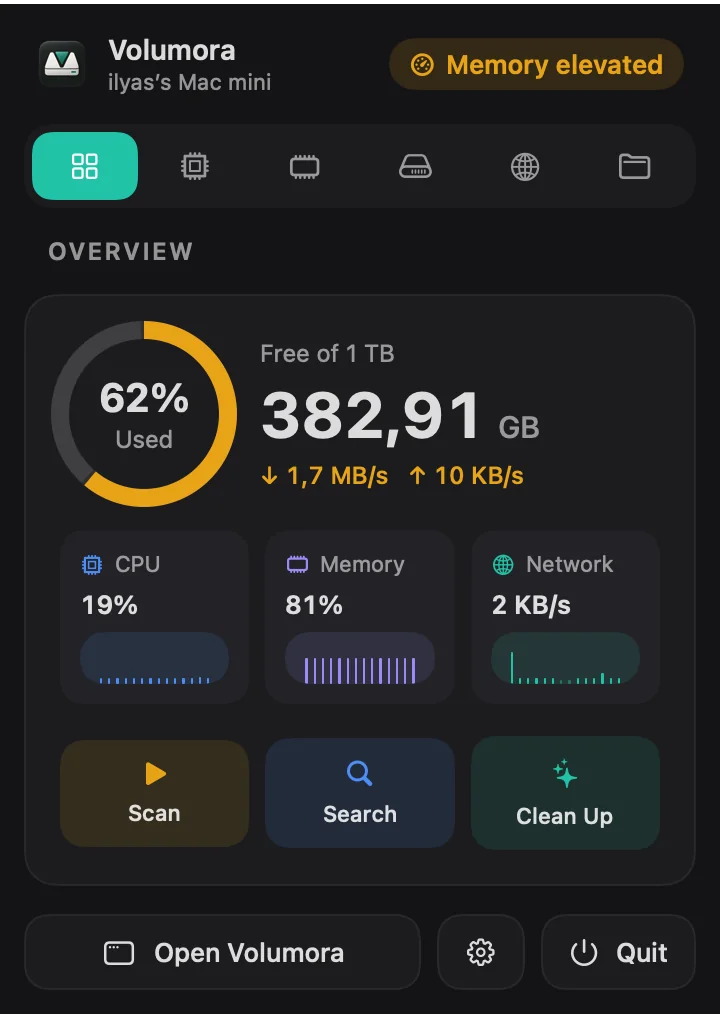
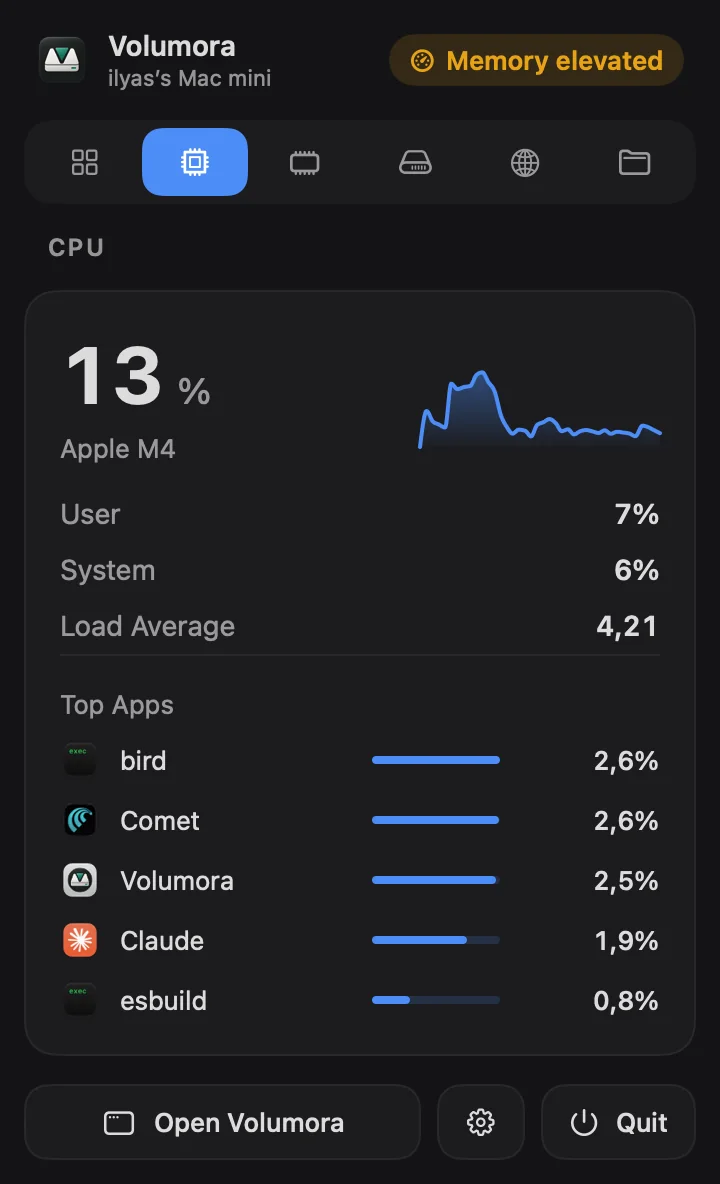
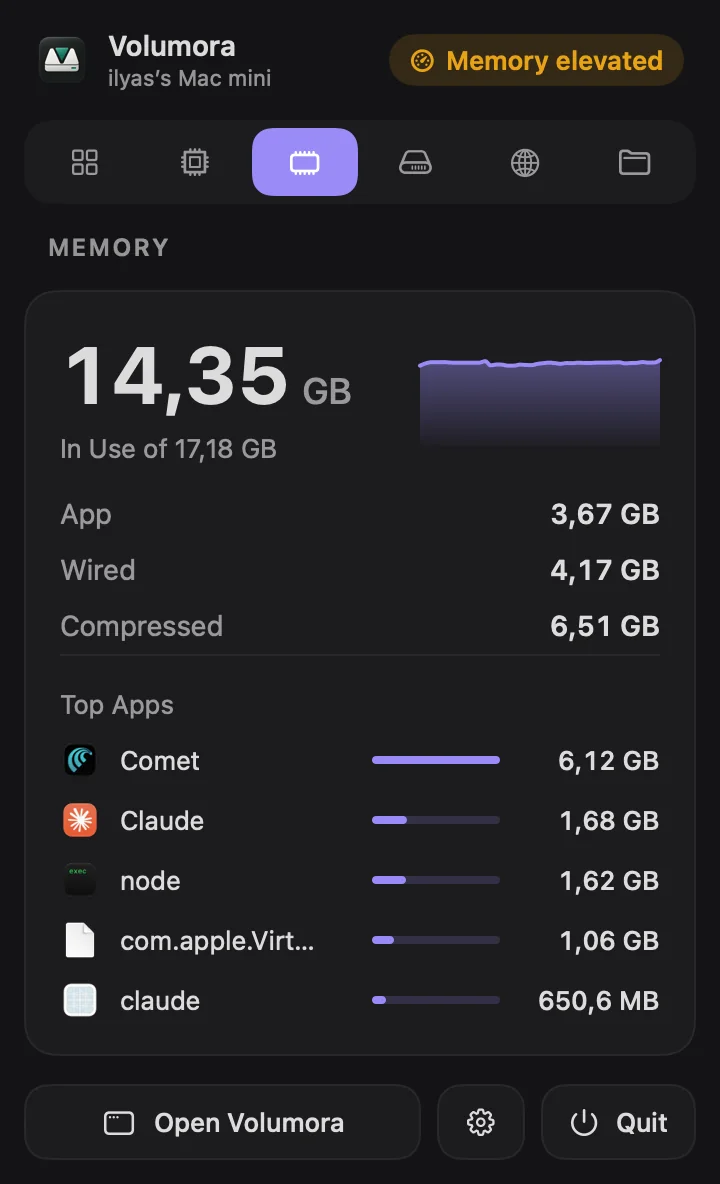
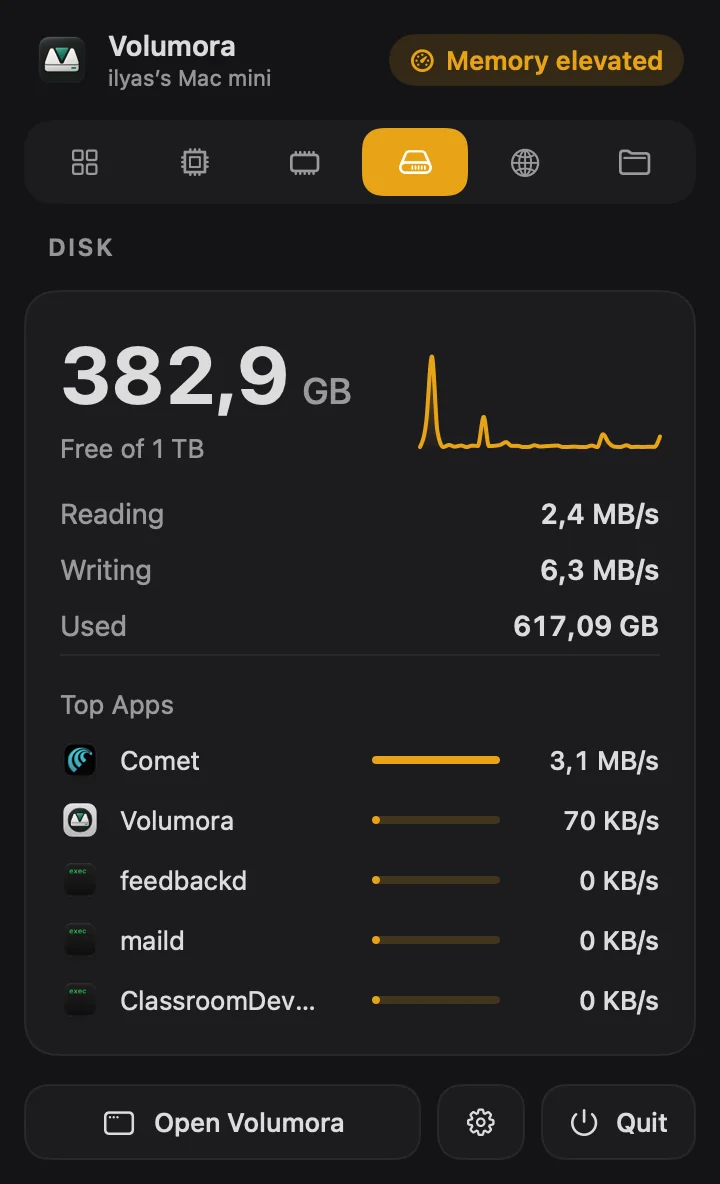
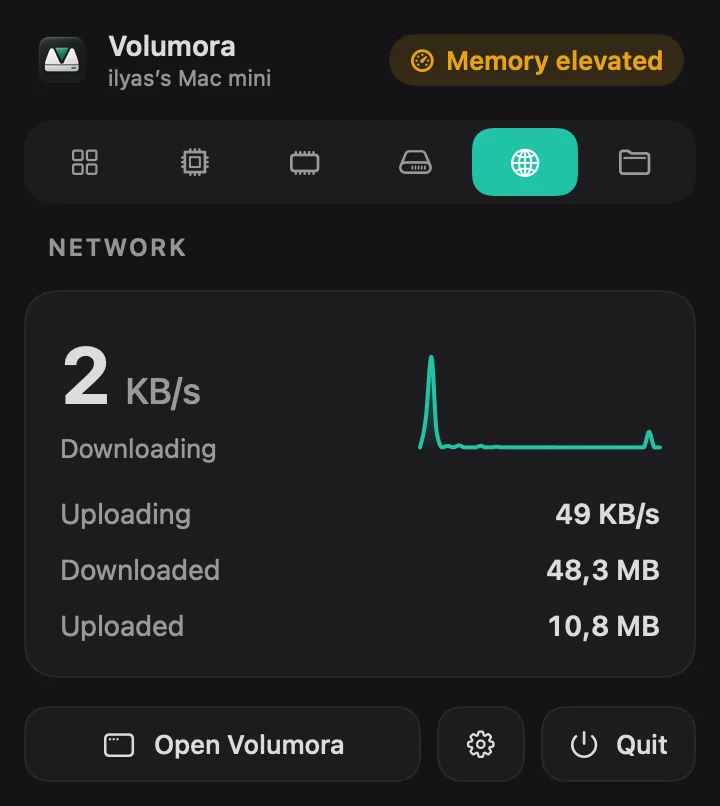
The menu bar panel opens with a health status, a storage ring and live CPU, memory and network tiles. Tabs for CPU, Memory, Disk, Network and Projects show the top apps behind each one, and quick actions start a scan, a search or a cleanup.
Overview
CPU
Memory
Disk
Network
Projects
Health status
Menu bar item style
Icon
Figure
Graph
Stacked
Choose how Volumora sits in your menu bar.
Smart Search
Find any file by name in seconds with the Spotlight index already on your Mac. Filter by type; queries and filenames never leave the machine.
Apps, removed completely
Uninstall an app together with what it leaves behind. Everything goes to the Trash, so you can still change your mind.
Leftovers found for one app
Moves to Trash only
Tools
Duplicate Finder
Matches files by SHA-256 content hash, not by name.
Smart Cleanup
Reviews caches, logs and installers before anything moves.
Large & Forgotten
Surfaces big, old files worth a second look.
Storage History
Shows how your disk usage changes over time.
Startup Items
Lists what launches in the background.
Developer Cleanup
Recovers build output and package caches.
Privacy
Scanning, search, duplicate hashing, cleanup suggestions, live metrics, storage history all run on your Mac. License activation and validation contact the licensing service with a random installation ID.
Where your data goes
Analytics SDKs: none. Account required: no.
A clearer tradeoff
One license unlocks the storage map, monitoring and cleanup tools. Pay once to use Volumora.
Compare Volumora with DaisyDisk, CleanMyMac, iStat Menus and more| Capability | Volumora | Typical cleaner | Finder |
|---|---|---|---|
| Visual storage scan | With license | Often limited | No |
| Review before cleanup | Always | Varies | Manual |
| Live system monitor | Built in | Sometimes | No |
| Dev server detection | Built in | Rare | No |
| Developer cache cleanup | Built in | Sometimes | Manual |
| File analysis | On-device | Varies | On-device |
| Payment | One time | Often recurring | Included |
One-time purchase
14-day refund promise
If Volumora does not help you understand your storage, email us within 14 days of purchase for a refund.

Buy securely with Polar
Worldwide taxes handled at checkout. Your license number is delivered after payment.
Buy VolumoraDownload VolumoramacOS 14 or newer · Apple Silicon and Intel
Lifetime means the lifetime of the purchased major version.
No. It shows what it found and waits for your review. Anything you approve moves to the macOS Trash.
About 8 times. It reads folders in parallel across your Mac's cores: on a folder of 1.34 million files (54 GB) a scan took 7.8 seconds, down from 66 seconds with the previous scanner. Your time depends on your disk and how many files you have.
No. Projects only shows what is running. “Stop idle servers” asks you to confirm before it stops anything.
macOS protects parts of your drive. Full Disk Access lets Volumora measure those locations accurately; it never sends their contents anywhere.
No. Volumora is a one-time purchase for up to three personal Macs.
Yes. The universal app runs natively on Apple Silicon and Intel Macs with macOS 14 or newer.
Polar confirms the payment and delivers your personal license number. Enter it once in Volumora Settings to activate your Mac.
Yes. The Arabic interface is fully translated and mirrors navigation, controls, dashboards and maps right to left.
Download Volumora, understand your Mac, and remove only what you choose.